



30 Real Phones, One Page: Watching TrafficBotPro PhoneLink Land Live in Google Analytics
We pointed our connected phones at a single webpage, set the task to run continuously, and opened Google Analytics 4 on a second screen.
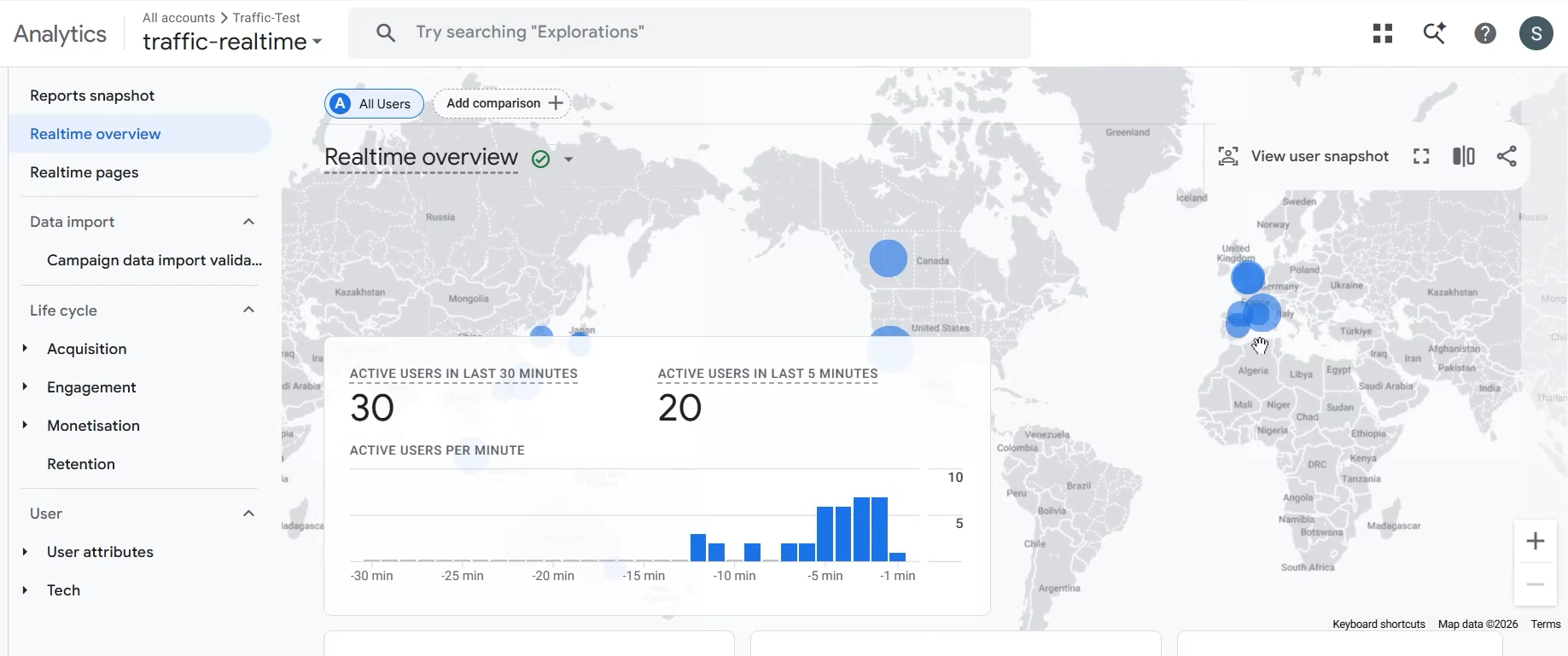
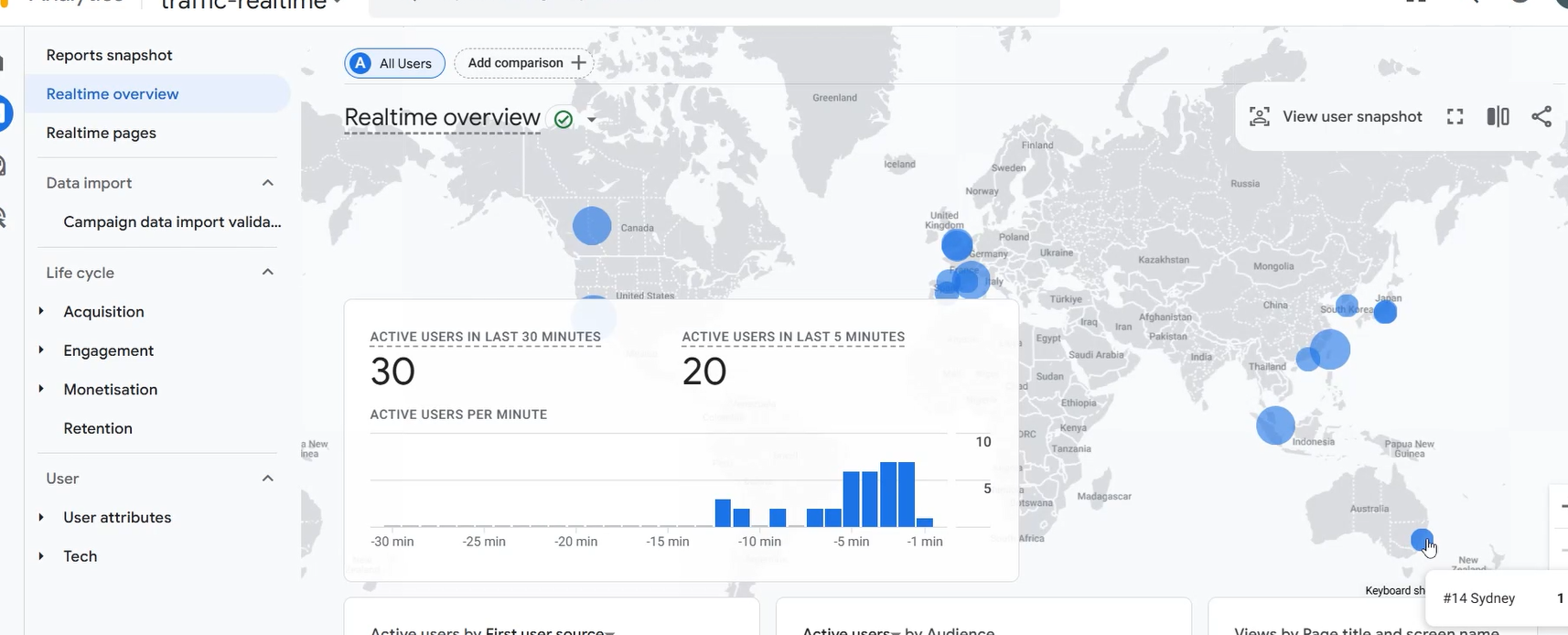
Within a minute, the Realtime overview stopped being flat. 30 active users in the last 30 minutes. 20 in the last 5 minutes. A location card filling up with visitors from Mongolia, Mali, Kenya, Argentina and Pakistan.
No proxies. No headless browsers. No edited screenshots. Just real phones loading a real page, while Google's own dashboard did the counting.
That last part is the whole reason we publish this kind of test. Most automation tools ask you to trust a counter inside their own app. Realtime does not work that way. Google keeps the score, and you can watch it happen in your own account.
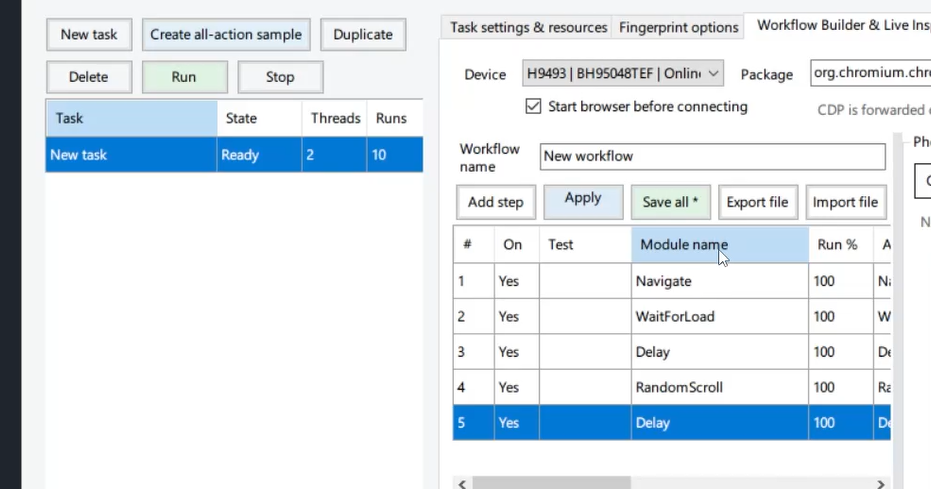
The workflow behind it
Five steps, assembled in under a minute inside PhoneLink:
1. Open the target URL. Each connected device loads the page in a real mobile browser, as a genuine page load rather than a synthetic request pushed through the Measurement Protocol.
2. Wait, then delay. The wait lets the page finish rendering. The delay holds the session open, so the visit looks like a visit instead of a bounce.
3. RandomScroll. The device scrolls down the page at randomized speed and distance, the way a person reads. Scroll depth is one of the cheapest engagement signals you can generate honestly, and skipping it is the fastest way to make a workflow look mechanical.
4. Delay again. A final hold before the task completes, so no session dies the instant the last action fires.
5. Loop across the fleet. The task runs continuously on every connected device rather than once on a single phone.
Then we switched to the Realtime dashboard.
What Google Analytics showed
Three things stood out:
- The active user count climbed instead of spiking. The "active users per minute" line bent upward as more devices joined the run, exactly the shape you want to see from a fleet.
- The 5-minute figure stayed high. 20 active users in the last 5 minutes means sessions were still open at the time of the screenshot. A single burst that dies on arrival would have shown nothing here.
- The map filled in with several countries. Mongolia, Mali, Kenya, Argentina and Pakistan. Where the devices actually connect from is where Google reports them.
We ran it a second time and the report filled in again. Reproducible beats impressive.
Why real hardware changes the numbers
Emulators and headless browsers can hit a URL. What they struggle with is being classified.
GA4 derives device, browser, operating system and geography from what the client actually sends and where the connection actually comes from. Real phones report all of it natively. Virtual instances tend to arrive looking either uniform or obviously wrong.
| Real connected phones | Emulators and headless browsers | |
|---|---|---|
| Browser and OS signals | Genuine mobile versions | Frequently spoofed or inconsistent |
| Device reports | Populate naturally | Often collapse into "unknown" |
| Long runs | Stable, it is just hardware | Degrades under sustained load |
If your goal is to see your own site the way a mobile visitor sees it, including how Analytics classifies that visitor, there is no shortcut around real devices.
Run the same test on your own property
- Connect your devices and confirm each one is online.
- Build the workflow: Open URL → Wait → Delay → RandomScroll → Delay.
- Point it at a page on a GA4 property you own or manage.
- Set the task to loop across multiple devices.
- Open Reports → Realtime → Realtime overview.
- Cross-check pages, events and locations to confirm the hits land where you expect.
If the dashboard fills in, the workflow is doing its job. If it stays empty, the culprit is almost always the URL, the device connection or the loop setting.
Frequently asked questions
Does real phone traffic appear in Google Analytics Realtime? Yes. Because PhoneLink drives real browsers on real devices, the hits travel the same collection path as any mobile visitor, so they show up in the Realtime report within seconds.
How long should each visit last? Long enough to be reading time, not loading time. The Wait, Delay and RandomScroll combination keeps a session alive past the engaged-session threshold in GA4 instead of registering as an instant bounce.
One device or a fleet? A fleet. One phone returning repeatedly looks like a bug; a group of devices with different locations, models and timing looks like an audience.
Why not just use an emulator? Emulators are cheaper to run and easier to detect. For anything involving analytics, ad platforms or bot filtering, the classification data they produce is the first thing to fall apart.
See it on your own dashboard
A demo video is nice. Your own Realtime report showing a climbing active-user count is better.
Connect a few phones, build the five-step workflow, press run, and watch Google Analytics do the talking.