



Powerful Browser Fingerprints and Flexible XPath Automation with TrafficBotPro
A browser automation task brings two things together: the environment in which a website opens, and the actions the browser performs after it arrives.
TrafficBotPro gives you control over both. Its browser fingerprint features help you configure and organize distinct browsing environments. Its Custom Operations let you define how the browser interacts with a page, including clicking a specific element or randomly choosing from a group of elements matched by XPath.
The result is a flexible combination: configurable browser profiles and browsing workflows shaped around your own requirements. You can decide where a task goes, which elements it can interact with, and how the visit continues.
Configure a Comprehensive Browser Fingerprint Environment
Browser fingerprinting involves many signals exposed by the browser and its environment. TrafficBotPro provides configuration across several categories, including User-Agent and fonts, rendering and Canvas fingerprints, audio fingerprints, and hardware-related signals.
These capabilities give you a broader set of controls when preparing a browser environment for a task. You can organize different configurations into browser profiles and keep the environments isolated across separate activities.
TrafficBotPro also provides profile-level control over fingerprint, IP, timezone, language, and location settings. Keeping these settings organized together helps you maintain the browsing environment you intend to use when returning to a task.
The practical strength is the combination of configuration depth and profile management. You can prepare the browser environment, reuse its settings, and run the corresponding browsing work within a clearly defined setup.
That environment becomes the foundation for the custom actions that follow.
Use XPath to Define What the Browser Can Click
Different websites organize their buttons, links, and content in different ways. TrafficBotPro's Custom Operations support element targeting through ID, Class, XPath, or Selector, giving you several ways to identify the part of the page you want to interact with.
XPath is especially useful when your target is defined by its position within a page structure or by particular attributes.
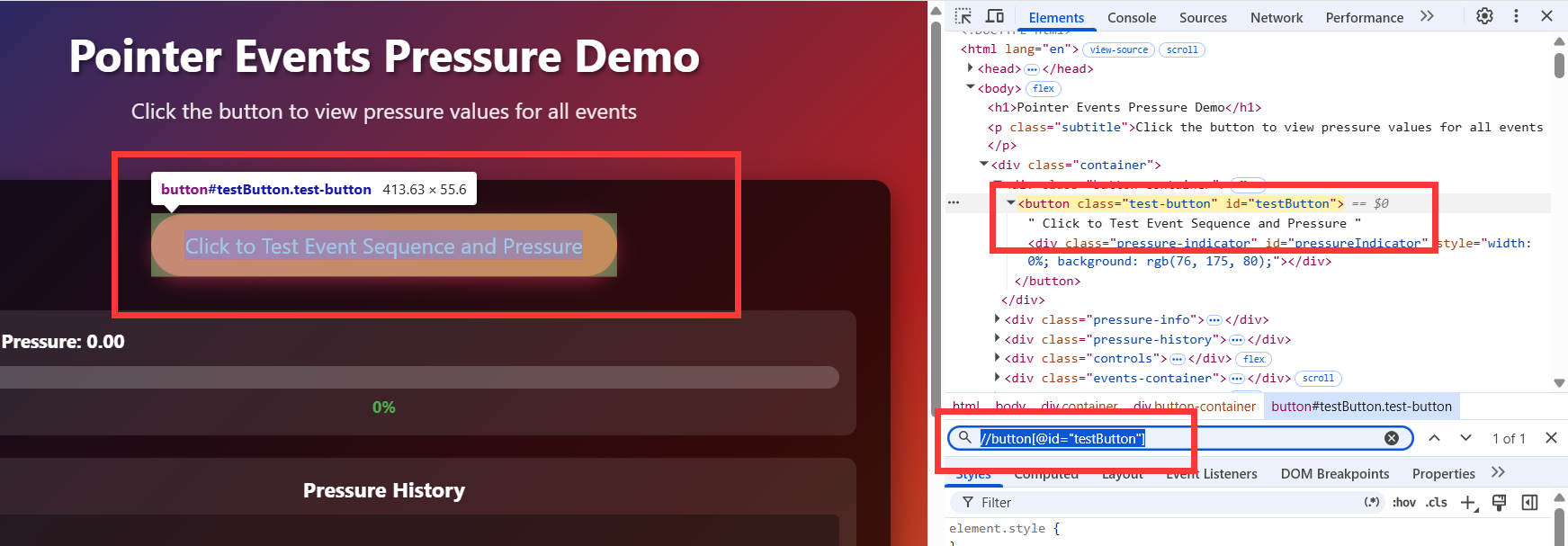
For example, an illustrative expression such as //button[@id="testButton"] identifies an article link with a particular ID. You can use the matching element as the target for a configured click.
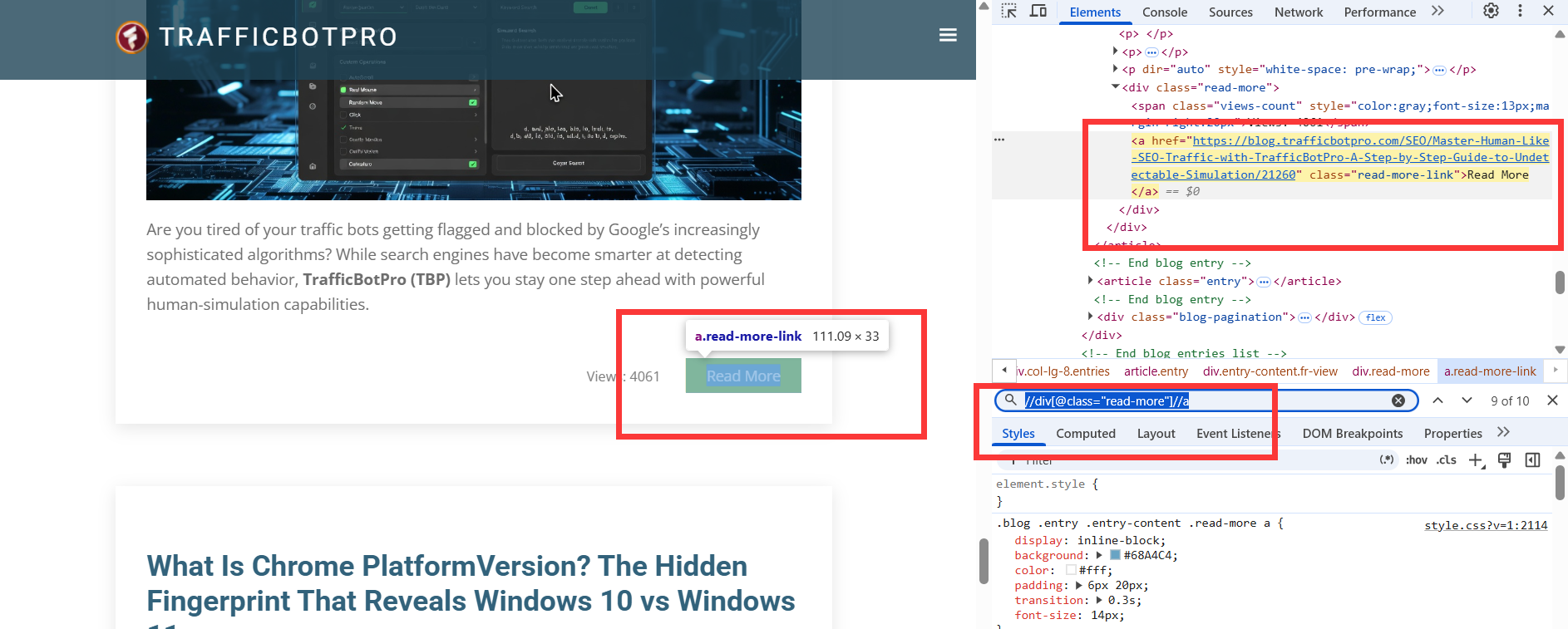
For a broader selection, an expression such as //div[@class="read-more"]//a identifies blog links. This creates a group of candidates that can be used for random clicking.
The actual XPath depends on the website's markup. The important capability is that you can define the target precisely enough for your workflow: an individual element, or a selected group of elements within a particular area of the page.
XPath defines the eligible targets. The click configuration determines how the task selects a target from those matches.
Choose a Specific Element or Randomize Within a Matched Group
Some tasks need a predictable route. You may want to open a particular article, enter a specific category, or click a button that advances the browsing sequence.
In those cases, you can configure an XPath that identifies the intended element and direct the click toward that target. This gives the workflow a clear next step.
Other tasks benefit from a choice of routes. You might want a visit to continue through one of several related articles or explore a product link within a chosen section.
TrafficBotPro lets you match a group of elements and configure random selection for the click. The browser can choose among the matched candidates, allowing the browsing path to vary within the scope you have defined.
That scope is the key to the flexibility. You can limit the candidates to a specific page section or type of link, then let the click vary within that selection.
For example, a workflow could open your website, navigate to a selected content page, and then randomly choose a link from its related-articles section. The entry point remains directed, while the next part of the journey has several possible routes.
You can combine targeted and random clicks in the same browsing sequence. A specific click can establish the route, and a later random click can introduce variation where it is useful.
Combine Clicks with Scrolling, Waiting, and Further Navigation
A click is one step within a browsing process. TrafficBotPro's operation tools let you combine it with scrolling, pauses, text input, and additional navigation.
This gives you control over the order of actions and the pace of the visit. You can arrange a pause before an interaction, scroll through content, click a matching element, and continue the sequence on the next page.
An illustrative content-browsing workflow could follow this path:
Open the website → pause → scroll → click a specific article link → pause on the article → randomly click a matched related link → continue browsing.
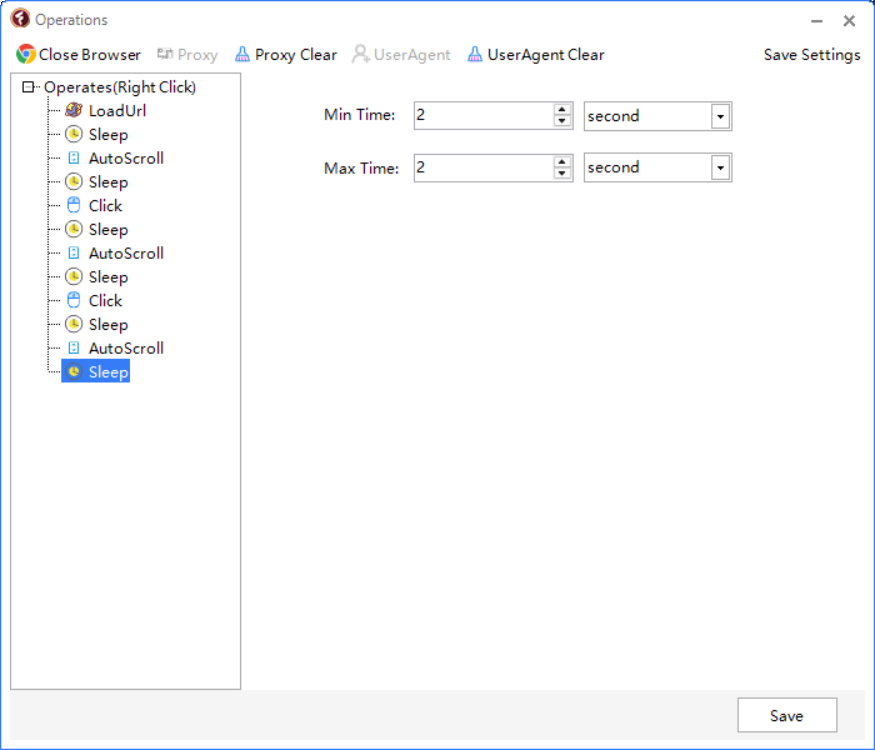
Each part has a purpose. The targeted click controls which article the browser opens. The XPath for related links defines where it can go next. Random selection adds flexibility to that next step, while scrolling and waiting shape the browsing rhythm.
You can start with a short sequence, watch it run, and adjust the actions to fit the website. As your requirements change, the workflow can be extended with further steps.
Bring Fingerprint Control and Custom Operations Together
Fingerprint configuration and custom operations address different parts of the same task.
The browser profile determines the environment you have prepared for the session. Custom Operations determine the interactions you want to carry out within that environment.
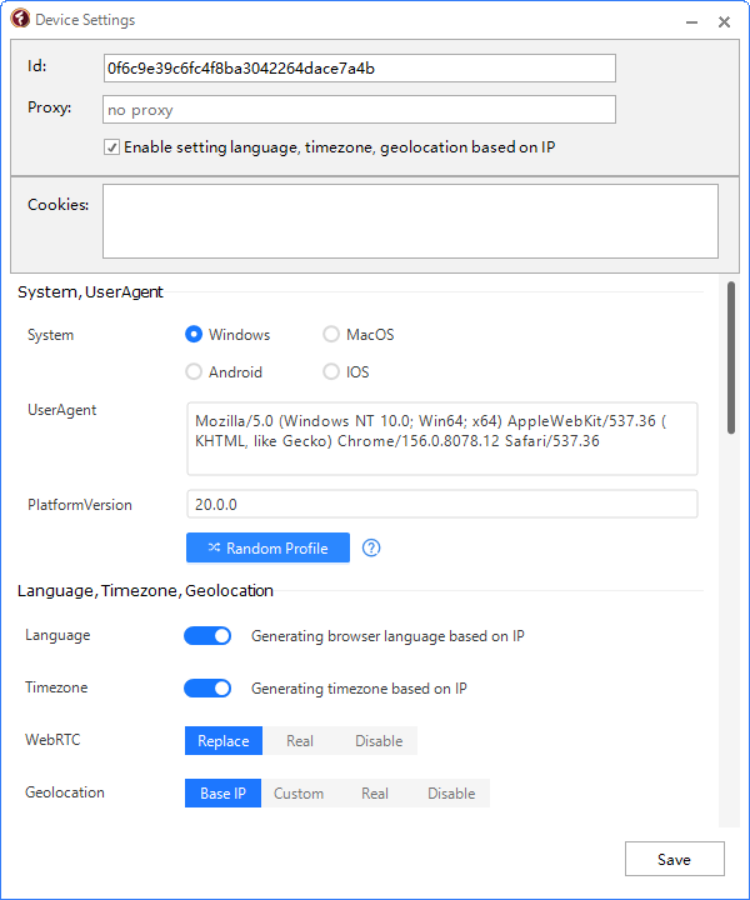
Together, they let you build automation around a complete browsing process. You can use an organized profile, enter the intended website, interact with selected elements, and continue through a configured sequence of actions.
This is particularly useful when you manage several website workflows. Different projects can require different browser configurations, different click targets, and different navigation sequences. TrafficBotPro provides controls for both the environment and the actions, helping you adapt the setup to each project.
Once configured, these workflows can be reused within TrafficBotPro's task management and scheduling features, reducing the repetitive work involved in starting and carrying out recurring browsing activities.
Shape Automation Around Your Website
The strength of Custom Operations is how much of the browsing path you can define yourself. You choose the elements that matter, the order in which the browser interacts with them, and the points where random selection is appropriate.
A content website may call for article links and reading pauses. A product catalog may call for category navigation and selections from a product group. Another workflow may combine text entry, button clicks, and further page visits.
TrafficBotPro gives you the tools to represent those different requirements through configurable actions. For users who want the standard desktop modules and Custom Operations together, the Full edition brings those capabilities into one package.
Powerful browser fingerprint configuration sets up the environment. Flexible XPath targeting, directed clicks, and random selection shape the journey.
Explore TrafficBotPro and build browser automation with control over both your profiles and your page interactions.