



Master Human-Like SEO Traffic with TrafficBotPro: A Step-by-Step Guide to Undetectable Simulation
Are you tired of your traffic bots getting flagged and blocked by Google’s increasingly sophisticated algorithms? While search engines have become smarter at detecting automated behavior, TrafficBotPro (TBP) lets you stay one step ahead with powerful human-simulation capabilities.
In this guide, I’ll walk you through setting up the ultimate real-user simulation in TrafficBotPro — the kind that mimics actual human browsing so effectively it drives genuine SEO benefits without raising red flags.
Why Human Simulation Matters in 2026
Basic bots that simply load pages and bounce are easily spotted. TrafficBotPro goes far beyond that by letting you create custom, lifelike operations: typing like a real person, natural mouse movements, scrolling, clicking, and more. This improves dwell time, reduces bounce rates, and sends strong positive signals to search engines.
Here’s exactly how to configure it.
Step 1: Prepare Your Device and Proxy
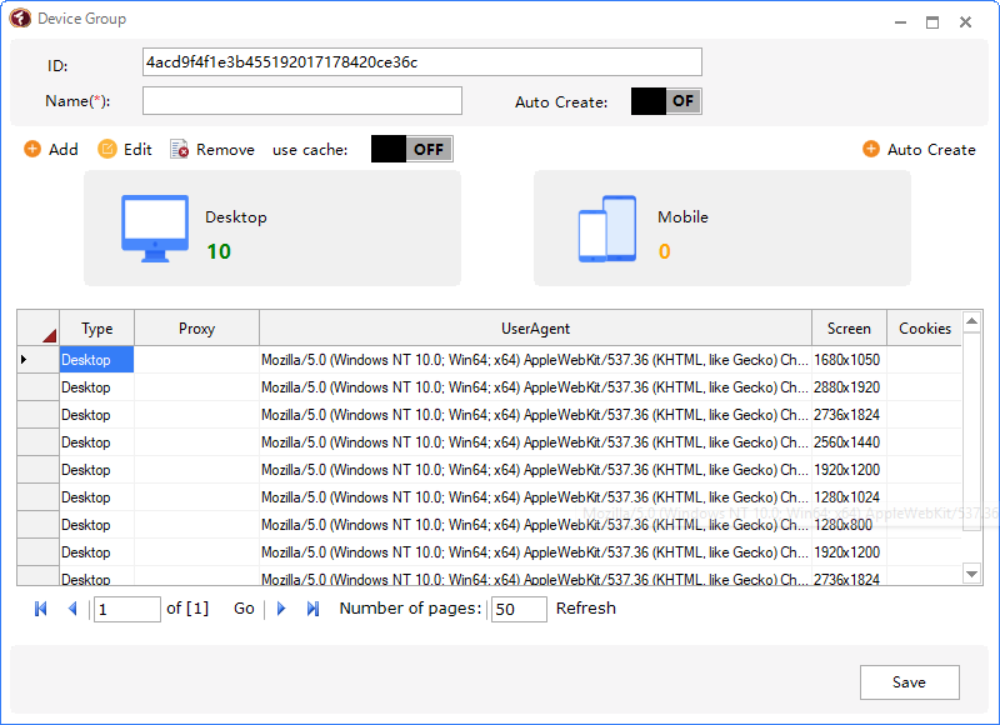
Start by adding your device profile and proxy in TrafficBotPro. Not sure how? Check out my previous demo video for a quick walkthrough. Using high-quality IPs combined with proper fingerprint spoofing is key to staying under the radar.
Step 2: Create a New Google Task
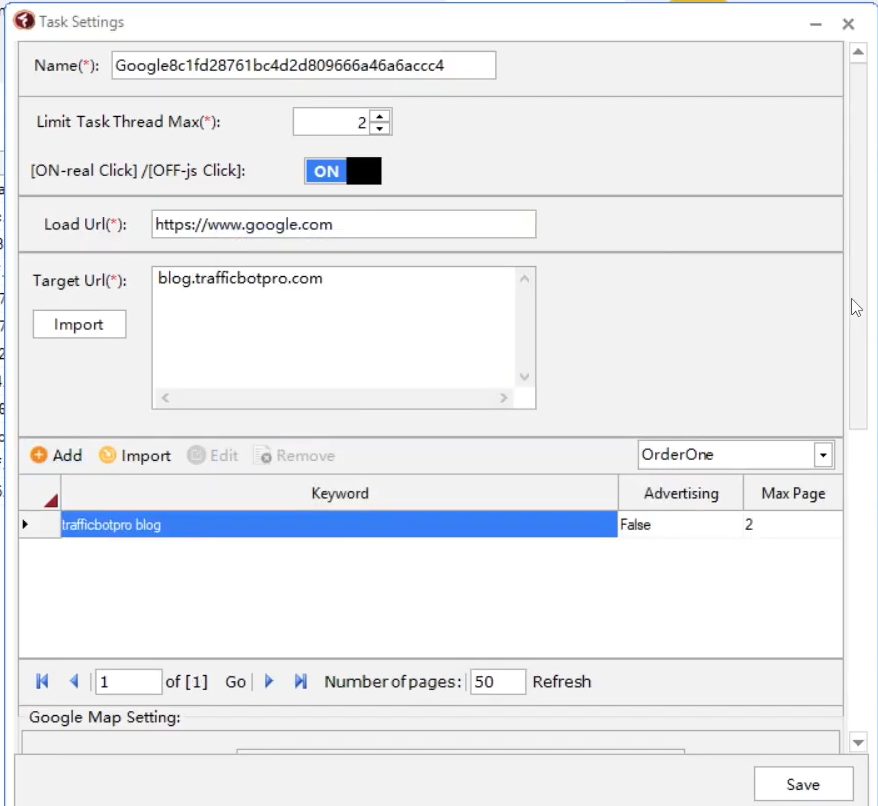
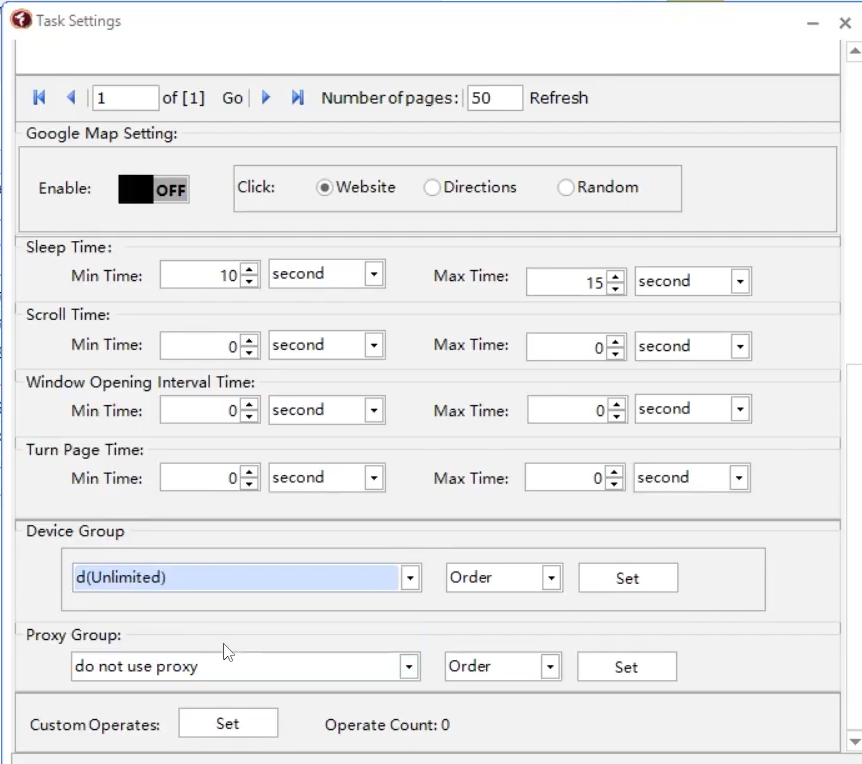
- Set your desired thread count based on your setup.
- Turn on the ‘Real Click’ option — this is essential for natural behavior.
- Enter your Target URL.
- Add your primary Keyword for the search simulation.
- Link the task to the device and proxy you configured earlier.
Step 3: Build Powerful Custom Operations
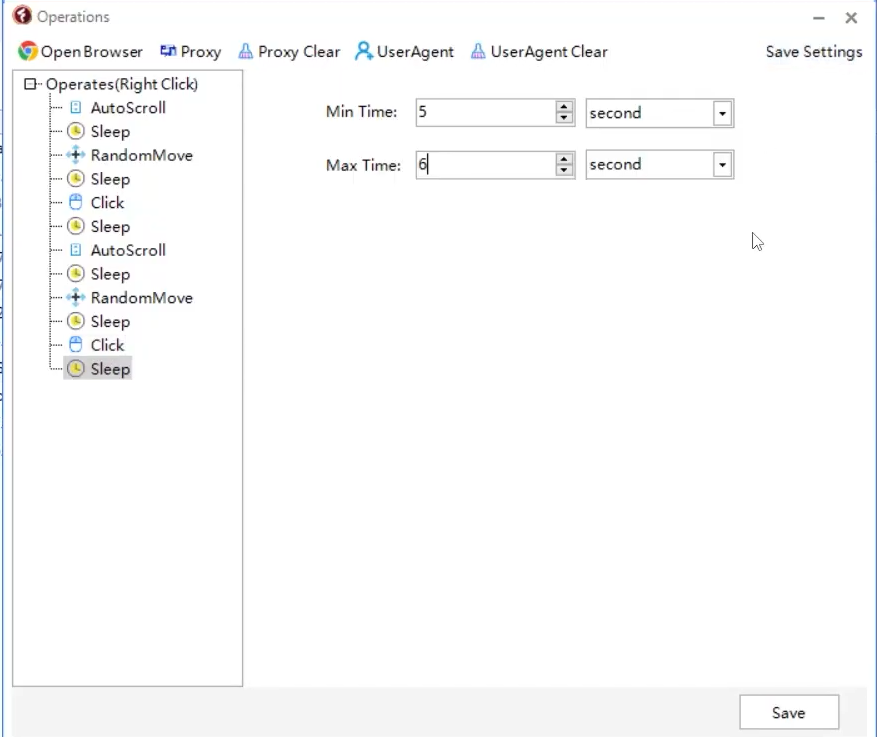
This is where TrafficBotPro truly shines. Create a sequence that feels completely organic:
- Add AutoScroll — Customize the speed and range to match real reading behavior. Don’t forget to enable ‘Real Mouse’ for authentic cursor movement.
- Insert a short Sleep Time right after scrolling — humans don’t rush; they pause.
- Add Random Move — This creates natural mouse wandering across the page, adding another layer of human realism.
- Add a Click Operation to enter the blog or target page. Use ‘Real Mouse Click’ to ensure it triggers smoothly.
- Repeat the sequence (scroll + sleep + random move) once inside the blog to simulate deeper engagement.
- End with a final Random Click on an element within the blog before closing the task.
Step 4: Launch and Watch the Magic
Hit start and observe the difference: The bot doesn’t just paste keywords — it types them character by character, exactly like a human typing on a keyboard. Every scroll, pause, and click feels natural.
This level of customization and realism is what makes TrafficBotPro one of the most powerful traffic and automation tools available.
The Results You Can Expect
- Better behavioral metrics that boost SEO rankings.
- Reduced risk of detection compared to basic bots.
- Actionable, high-quality simulated traffic for testing, ranking, or ad validation.
- Full control to replicate almost any user journey you want.
Ready to Level Up Your Traffic Game?
Stop settling for easily detected bots. Download TrafficBotPro today and unlock advanced human-simulation features that actually deliver results while protecting your campaigns.