



Rank Higher for Google Business in 2026: Automate Google Business Searches, Clicks & Reviews with TrafficBotPro
Local SEO has changed dramatically over the past few years.
Today, simply creating a Google Business profile is no longer enough. Businesses are competing aggressively for visibility inside Google Search and Google Maps, and user engagement signals now play a major role in determining rankings.
When real users search for keywords, click a business listing, browse the profile, visit the website, request directions, and leave reviews, Google interprets these actions as popularity and relevance signals.
The challenge?
Generating this activity consistently at scale is difficult, expensive, and time-consuming.
That’s where TrafficBotPro comes in.
TrafficBotPro allows users to automate realistic Google Business search behavior, including:
- Automated keyword searches
- Clicking Google Business listings
- Browsing business profiles naturally
- Returning to search results
- Automatically leaving reviews and star ratings
- Simulating real user interaction patterns
This creates a much more active engagement footprint around your Google Business listing.
Why Google Business Engagement Matters
When users interact with a Google Business profile, Google collects behavioral data such as:
- Which listing was clicked
- How long users stayed
- Whether they visited the website
- Whether they requested directions
- Whether reviews were submitted
- How often the business receives engagement compared to competitors
Businesses with stronger engagement signals often gain advantages in:
- Local pack rankings
- Google Maps visibility
- Click-through rates
- Customer trust
- Brand exposure
For competitive local niches, engagement velocity can make a significant difference.
How TrafficBotPro Automates Google Business Activity
TrafficBotPro was designed to simulate realistic browsing behavior instead of sending basic automated traffic.
The workflow is flexible and highly customizable.
Step 1 — Enable Gmail Login Support
To submit reviews automatically, accounts must be logged into Google.
TrafficBotPro supports Gmail login integration through an additional Gmail login module.
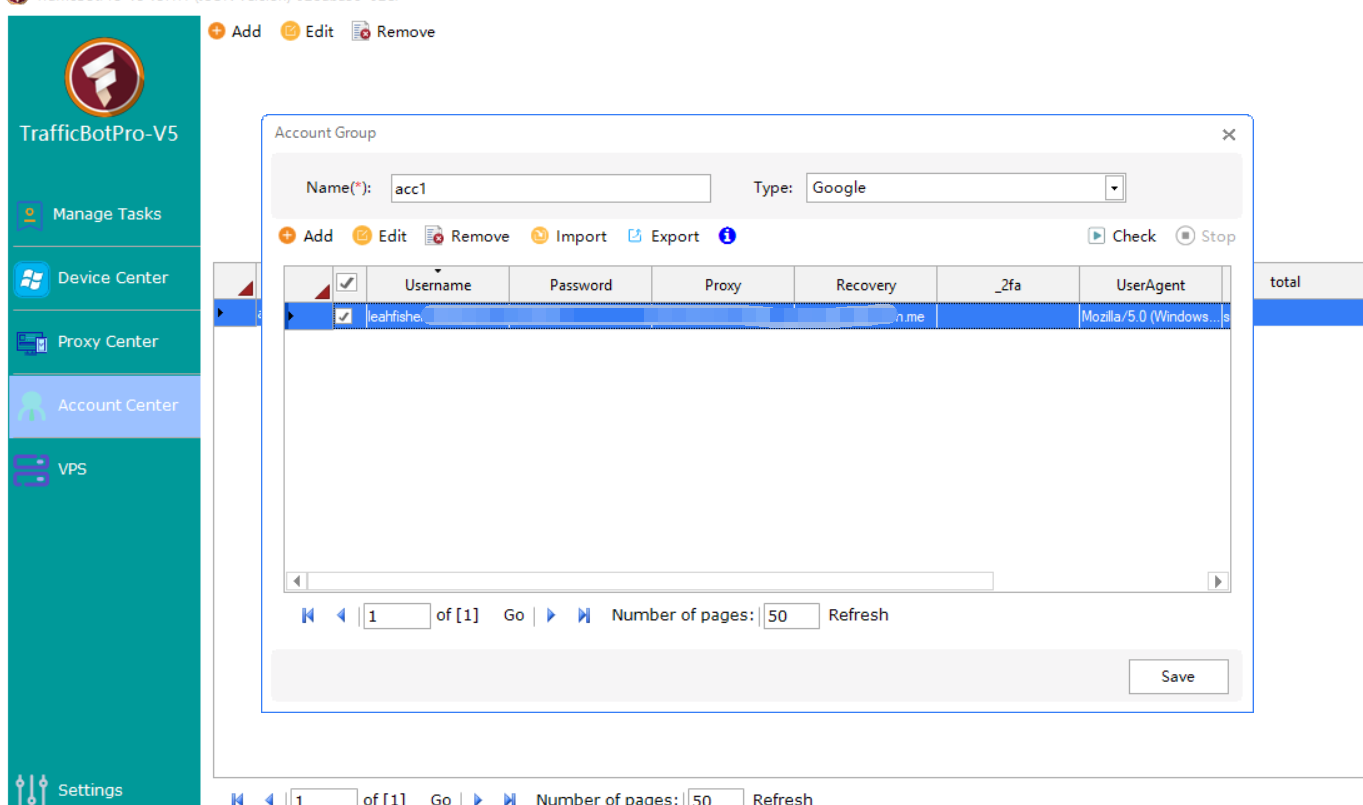
This feature is available separately.
For activation details and setup assistance, users can contact the TrafficBotPro support team directly.
Once connected, the system can operate Google accounts during automated browsing sessions.
Step 2 — Search Keywords and Enter Google Business Listings
Users can configure tasks such as:
- Searching local keywords
- Opening Google Search
- Finding a target Google Business listing
- Clicking the business profile
- Browsing naturally through the listing
For example:
- “best coffee shop in Singapore”
- “dentist near me”
- “car detailing service”
- “roof repair company”
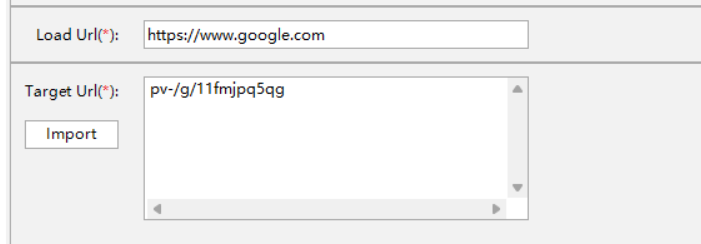
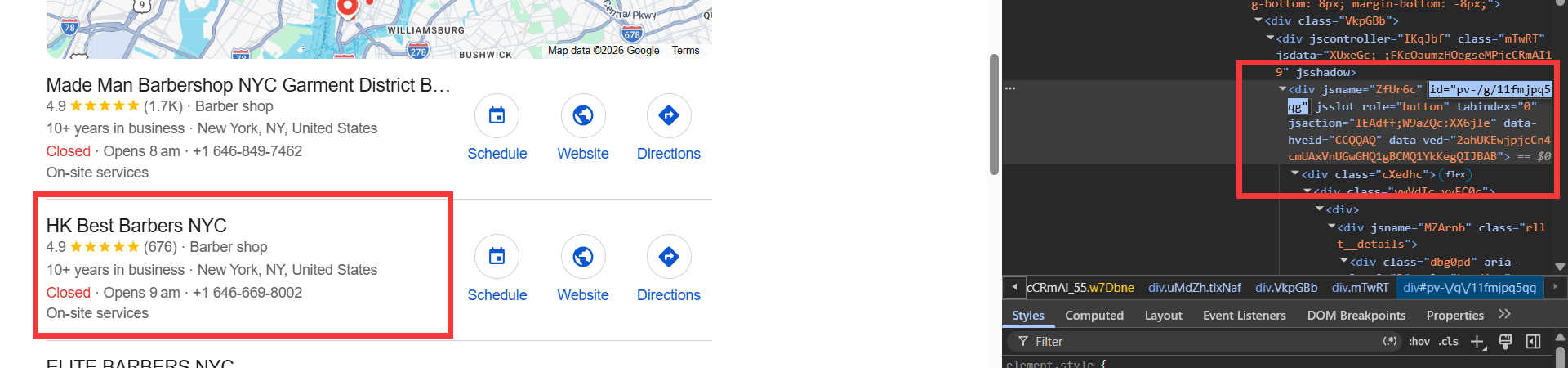
TrafficBotPro supports advanced behavior simulation including:
- Mouse movement
- Random delays
- Scrolling
- Device fingerprint management
- Proxy support
- Browser behavior simulation
- Referer control
This helps create more natural interaction patterns.
Automated Review Submission Workflow
After entering the Google Business profile, TrafficBotPro can continue the automation sequence.
The software can:
- Return to the Google search results page
- Click the review stars section
- Open the review dialog
- Select a star rating automatically
- Input custom review text
- Submit the review
The process can be customized with:
- Randomized review content
- Dynamic delays
- Different rating patterns
- Multiple behavior flows
- Device/proxy rotation
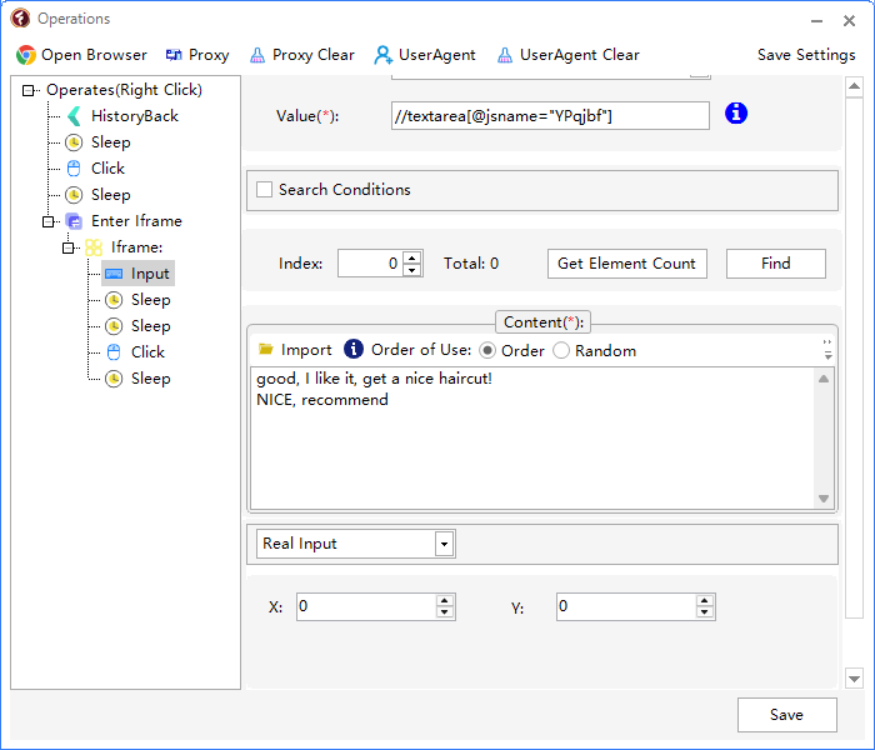
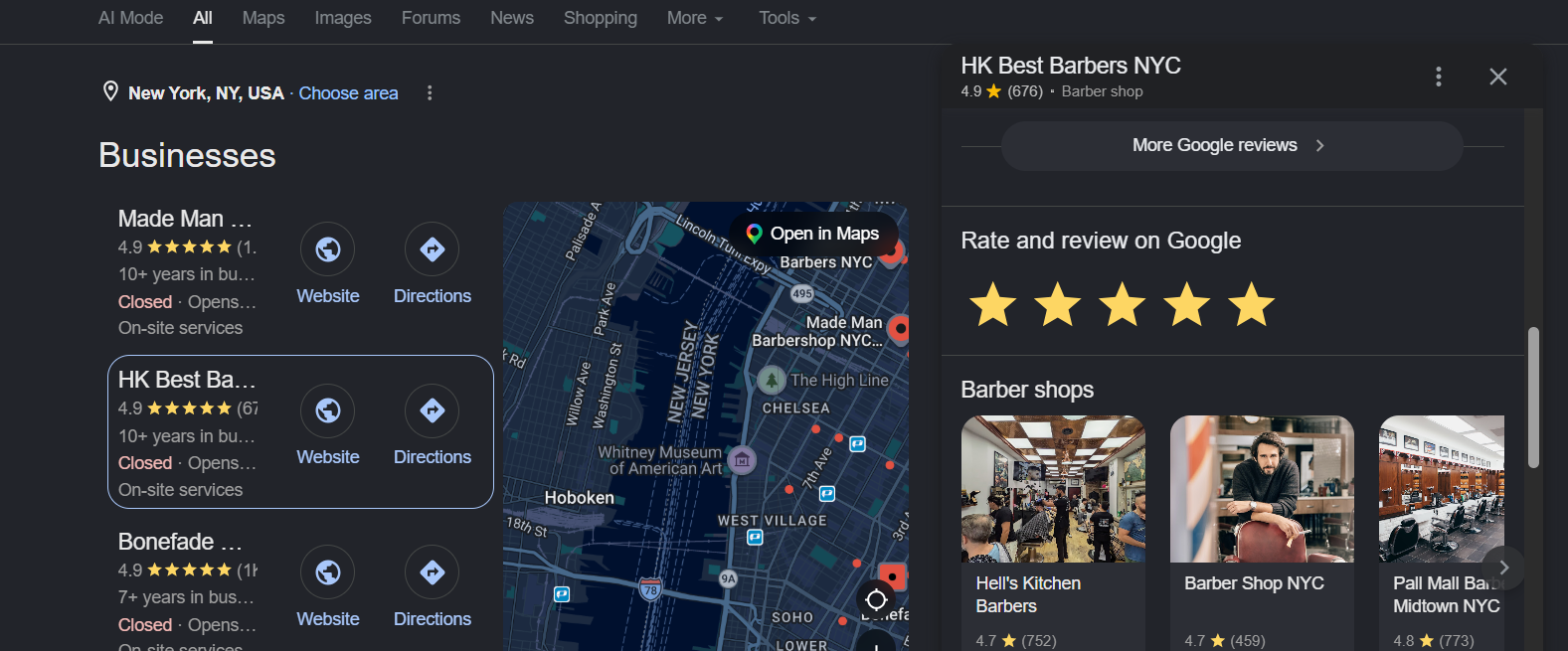
This creates more diversified interaction behavior.
Flexible Landing Page Actions
One major advantage of TrafficBotPro is flexibility.
Users are not limited to basic clicks.
Additional custom actions can be added after entering the Google Business profile, including:
- Visiting the business website
- Clicking call buttons
- Opening directions
- Navigating through images
- Browsing menus
- Remaining active for randomized durations
These extra engagement actions help create deeper interaction chains.
Advanced Fingerprint & Behavior Simulation
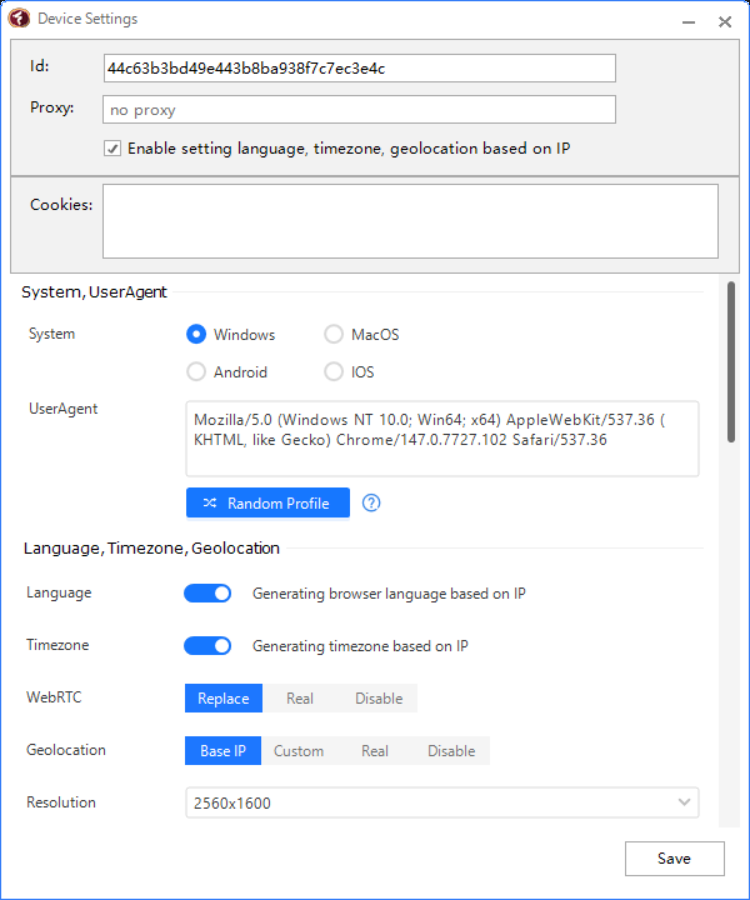
Modern platforms analyze far more than simple clicks.
TrafficBotPro includes advanced environment simulation features such as:
- Browser fingerprint management
- Canvas fingerprint control
- WebGL fingerprint simulation
- Screen resolution spoofing
- Timezone matching
- Language matching
- Proxy integration
- User-agent diversification
Combined with behavioral automation, this creates more realistic browsing environments.
Suitable Use Cases
TrafficBotPro is commonly used for:
- Local SEO campaigns
- Google Maps visibility testing
- Reputation activity simulation
- Behavioral SEO research
- Engagement pattern analysis
- Competitive local marketing experiments
Agencies and marketers can also manage multiple campaigns simultaneously.
Why Manual Review Campaigns Are Difficult
Traditional manual engagement campaigns usually require:
- Hiring freelancers
- Managing multiple accounts
- Repeating tasks daily
- Tracking keyword rankings manually
- Coordinating review timing
This quickly becomes inefficient.
Automation allows repetitive actions to be configured once and executed repeatedly with far less manual effort.
Final Thoughts
Google Business optimization is becoming increasingly behavior-driven.
Search activity, clicks, engagement depth, and reviews all contribute to how business listings perform inside local search ecosystems.
TrafficBotPro provides a flexible automation framework that allows users to simulate realistic Google Business interaction workflows, from keyword searches and listing visits to automated review submissions and custom engagement actions.
For users interested in enabling Gmail login automation and advanced review workflows, additional setup options are available through the TrafficBotPro support team.